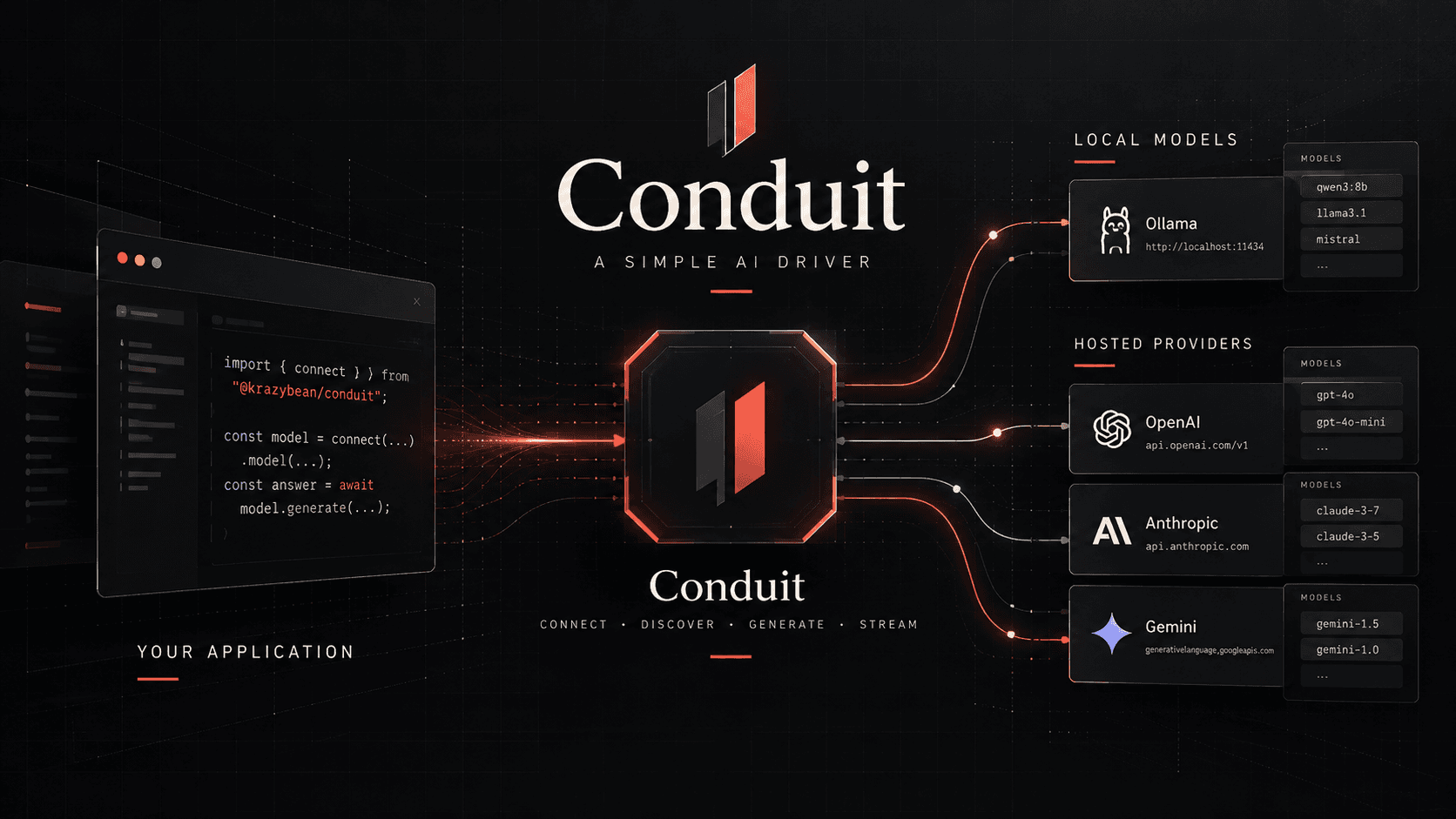
As I started building more tools that needed to communicate with AI models, whether locally or through hosted providers, I found myself repeatedly solving the same problem.
I started looking through public repositories to see what was already available. There were certainly options, but many came with considerably more functionality than I needed. Agents, workflows, memory management, orchestration, and additional abstractions that didn't belong in the applications I was building.
I wasn't looking for an entire AI framework. I wanted a simple, repeatable way to communicate with a model.
That's when I decided to write my own.
My requirements were straightforward:
Connect, List Models, Ask a Question.
const model = connect(...).model(...);
const answer = await model.generate(...);
I just wanted it to be stupid simple.
And while solving this problem for myself, I realized there was an opportunity to make the same simplicity available to anyone who might appreciate it.
Why a Driver?
I think of Conduit as a driver. Others might call it something else, but the distinction matters to me.
When communicating with a database, I don't particularly care about the underlying sockets or connection handling. I want to provide the necessary configuration, establish a connection, and get on with whatever my application is supposed to accomplish.
I wanted to apply that same approach to AI models.
flowchart TD
    A["Application"] --> B["Conduit"]
    B --> C["Provider"]
    C --> D["Model"]
No requirement to adopt a particular architecture. No additional systems to manage just because I need to ask a model a question.
Just an interface between my application and the provider.
What Is Conduit?
Conduit is a small AI driver designed to handle the basic communication between an application and an AI provider.
Its responsibilities are intentionally limited:
- Establish provider connections.
- Discover available models.
- Generate responses.
- Stream responses.
- Provide predictable errors.
- Maintain a consistent interface across TypeScript/JavaScript, Python, and Rust.
That's the scope.
What Conduit Isn't
There's absolutely nothing wrong with agents, workflows, memory, context management, vector databases, or orchestration systems. They solve legitimate problems, and plenty of applications need them.
Conduit simply isn't trying to solve those problems.
It's not an agent framework, an orchestration engine, or a replacement for projects like LangChain or Vercel AI SDK.
Those tools have their place, but I didn't need their capabilities or architectural opinions.
I needed a driver.
And while Conduit will continue evolving, there's one boundary I intend to preserve:
Conduit can evolve, but only within the responsibilities of a driver.
Practical Examples
Example 1: Local Models with Ollama
For this example, we'll use Ollama to discover the models installed on our machine, select one, and ask it a question.
We only need Node.js 22.13+, Ollama, and Conduit.
mkdir conduit-demo
cd conduit-demo

npm init -y
npm pkg set type=module
npm install @krazybean/conduit
ollama pull qwen3:8b// local.ts
import { connect } from "@krazybean/conduit";
// 1. Connect to the local Ollama service
const client = connect({
driver: "ollama",
});
// 2. Discover available models
const models = await client.listModels();
if (models.length === 0) {
throw new Error("No local models found.");
}
console.log("Available models:");
models.forEach((model) => console.log(`- ${model.id}`));
// 3. Select a model
const selected =
models.find((model) => model.id === "qwen3:8b") ?? models[0];
const model = client.model(selected.id);
console.log(`\nSelected: ${selected.id}`);
// 4. Ask a question
const response = await model.generate(
"Explain what a Linux container is in simple terms."
);
// 5. Display the result
console.log("\nResponse:");
console.log(response.text);Run it
node --experimental-strip-types local.tsExample 2: Hosted Models with Groq
Now let's use a hosted model.
Rather than changing how the application communicates with AI, we only need to change the connection configuration.
For this example, we'll use Groq's OpenAI-compatible API.
export GROQ_API_KEY="gsk_REPLACE_WITH_YOUR_KEY"hosted.ts
import { connect } from "@krazybean/conduit";

// 1. Connect to the hosted provider
const client = connect({
  driver: "openai-compatible",
  endpoint: "https://api.groq.com/openai/v1",
  credentials: process.env.GROQ_API_KEY,
});

// 2. Discover available models
const models = await client.listModels();

if (models.length === 0) {
  throw new Error("No hosted models found.");
}

console.log("Available models:");
models.forEach((model) => console.log(`- ${model.id}`));

// 3. Select a model
const selected = models[0];

const model = client.model(selected.id);

console.log(`\nSelected: ${selected.id}`);

// 4. Ask the same question
const response = await model.generate(
  "Explain what a Linux container is in simple terms."
);

// 5. Display the result
console.log("\nResponse:");
console.log(response.text);
node --experimental-strip-types hosted.tsWhat Actually Changed?
Local connection
const client = connect({
  driver: "ollama",
});
Hosted connection
const client = connect({
  driver: "openai-compatible",
  endpoint: "https://api.groq.com/openai/v1",
  credentials: process.env.GROQ_API_KEY,
});
Everything after establishing the connection follows the same pattern.
flowchart TD
    A["Your Application"] --> B["Conduit"]
    B --> C["Ollama"]
    B --> D["Hosted API"]
    C --> E["Local Model"]
    D --> F["Remote Model"]
That's the idea behind Conduit.
You can build your application around its requirements rather than the requirements of whichever provider happens to be powering it.
"I have software. I need it to talk to AI. Please don't redesign my software."